AI TOOL / #01501
Flowshot
An AI toolkit provided for Google Sheets users, designed to automate tasks and train custom models.
Introduction
AI toolkit for Google Sheets users to automate tasks and train custom models.
What is Flowshot?
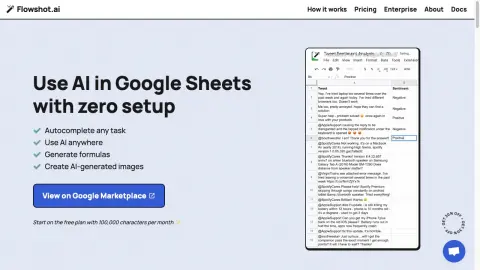
Flowshot is an AI toolkit integrated with Google Sheets, enabling users to utilize AI models without any technical knowledge. It offers features such as AI-generated suggestions, automatic completion, the ability to train custom models, and formula generation—all of which can be used directly within Google Sheets.
How to use Flowshot?
Install the Flowshot plugin from the Google Marketplace. In Google Sheets, utilize AI suggestions by referencing cell data. Examples are provided to help train custom AI models. Integrate with other applications through Zapier or APIs.
The core features of Flowshot
AI suggestions in Google Sheets
Automatically fill in duplicate tasks
Custom AI model training
Formulas and images generated by AI
Automatically fill in duplicate tasks
Custom AI model training
Formulas and images generated by AI
Related
jaxcore-browser-extension
A web browser extension designed for voice recognition and motion control within web applications.
SpeechPulse
A speech recognition and translation software that enables real-time input, transcription, and subtitle generation.
Rev
Rev is a voice platform designed for transcription, subtitling, and dubbing, utilizing both artificial intelligence and human services.
Otter.ai: Record and transcribe meetings
Otter.ai offers real-time artificial intelligence-based tools for taking meeting notes, conducting transcription, and facilitating collaboration.
OneAudio AI
An AI platform used for summarizing audio content, transcribing it, and converting it into notes.
Bubbles – AI Meeting Notes & Screen Recorder
A free screen recording tool along with AI-based meeting note-taking features, designed to facilitate action-oriented conversations.