AI TOOL / #02529
Text to Google Calendar
Chrome extension: Allows users to create Google Calendar events directly from highlighted text.
Introduction
Chrome extension to create Google Calendar events from highlighted text.
What is the Text to Google Calendar AI Chrome extension/plug-in?
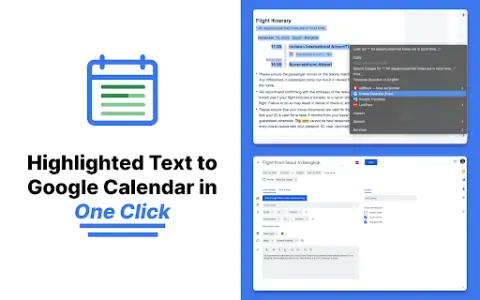
Text to Google Calendar is a Chrome extension designed to simplify the process of creating events on Google Calendar. It allows users to highlight text from emails or web pages and convert that text into calendar events with just one click, eliminating the need to manually copy and paste event details.
How to use the Text to Google Calendar AI Chrome extension?
Install the Text to Calendar Chrome extension. Highlight the relevant text containing event details (date, time, description, location) on a web page or in an email. Click the extension icon, and it will automatically use the extracted information to create a Google Calendar event.
The core functionality of the Text to Google Calendar AI Chrome extension.
Click to create an event based on the highlighted text.
Automatically fill in the time zone, location, and event details.
Easily create multiple and duplicate calendar events.
Automatically fill in the time zone, location, and event details.
Easily create multiple and duplicate calendar events.
Related
AI Logo Art
Use AI tools to transform a logo into an artistic work that can be used as a promotional visual image.
Ecoms Genie AI
An artificial intelligence coaching software designed for Shopify stores – provides AI tools and services to enhance the success rate of e-commerce operations.
AI Image Translator For Ecom Image
An advertising and dropshipping platform focused on TikTok ads and product research.
MagicBrief – Save Facebook & TikTok ads
Chrome extension to save, analyze and disassemble Facebook and TikTok ads.
Growtake
AI-powered advertising automation tool that makes multi-platform ad placement effortless.
Creative Score
Creative Score utilizes behavioral science and market research to optimize marketing assets.