AI TOOL / #02660
Grok Button
A browser extension that provides quick access to Grok AI.
Introduction
A browser extension for quick access to Grok AI.
What is a Grok Button?
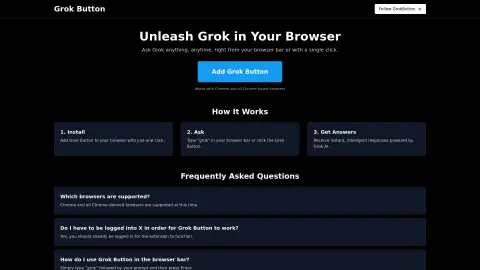
The Grok button is a browser extension that seamlessly integrates the powerful capabilities of Grok AI into your web browser. Users can submit their questions by entering “grok {your question}” in the browser address bar or by clicking the Grok button, and they will receive instant, intelligent responses.
How to use the Grok Button?
Install the Grok button extension. To use it, enter “grok” followed by your question in the browser address bar, then press Enter, or click the Grok button.
The core functionality of the Grok Button
Quickly access Grok AI from your browser.
Answer questions immediately
Integration with Chrome and Chrome-based browsers
Answer questions immediately
Integration with Chrome and Chrome-based browsers
Related
AdAstra
An AI-driven advertising automation software used for optimizing Amazon ads.
Advize
An AI-driven Meta advertising optimization tool that enhances ad performance through data-based recommendations.
Omnitrain.ai
A fast, customizable and effective ad creation platform powered by artificial intelligence.
Dicer.ai | AI Marketing Insights
AI-driven platform optimization helps improve the creativity of ads and campaign strategies, thereby increasing conversion rates.
Product Ad AI
An artificial intelligence platform that allows for the rapid creation of product advertisement images.
enhencer.com
An AI platform designed to maximize the advertising effectiveness of e-commerce companies.