AI TOOL / #06631
Voice-to-ChatGPT
Voice-controlled ChatGPT interactions via browser plug-in.
Introduction
Voice-controlled ChatGPT interaction via a browser extension.
What is the Voice-to-ChatGPT ai chrome extension/plugin?
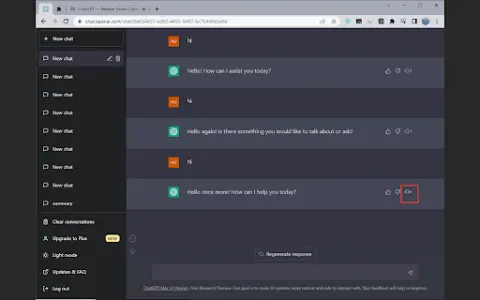
Voice Control ChatGPT is a browser plug-in that allows users to interact with the ChatGPT language model through voice. It leverages Google Chrome's speech recognition and text-to-speech technology to enable users to use voice input and audible replies from ChatGPT. Users can hold down the button to speak their question, release the button to send, and optionally cancel or edit before sending.
How to use Voice-to-ChatGPT ai chrome extension/plugin?
Open the ChatGPT homepage, press and hold the Talk button to speak, and release the button to send your question. You can cancel or edit your entry before sending.
Voice-to-ChatGPT ai chrome extension/plugin core functionality
Voice input to ChatGPT
Text-to-speech output for ChatGPT
Major languages supported
Press and talk function
Related
Reddit Hidden Gold Mines
A Chrome extension that utilizes the pain points associated with Reddit to help independent entrepreneurs generate business ideas.
Moonidea
AI-powered SAAS solutions are created through the analysis of Reddit discussion threads.
AhaApple
AI-powered idea generator for generating creative and novel ideas.
Stratup.ai
Artificial intelligence-based tools, solutions, and reports for generating entrepreneurial ideas.
Influme
Calendly automates scheduling with calendar integration and customizable meeting types.
Spatial
An AI-driven retail marketing platform that enables segmenting customers and provides real-time insights into social media trends.