AI TOOL / #06796
AutoPod
An Adobe Premiere Pro plugin for automatic video podcast editing.
Introduction
Adobe Premiere Pro plugin for automatic video podcast editing.
What is AutoPod?
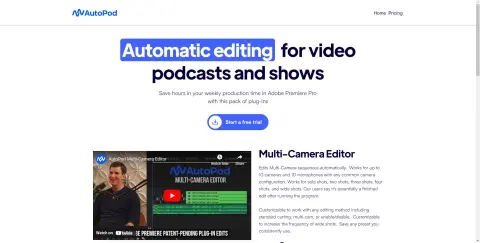
AutoPod is a set of plugins for Adobe Premiere Pro, designed specifically for video podcast and video program editors. It automates tasks such as multi-camera editing, creation of social media-ready content, and seamless editing based on audio silence markers. By streamlining processes that often prove time-consuming for editors, AutoPod helps to save valuable production time every week.
How to use AutoPod?
Install the AutoPod plugin in Adobe Premiere Pro. Open a project file in Premiere Pro, navigate to Window > Extensions, and then click on the desired AutoPod application. Use these tools to automatically edit multi-camera videos, create social media-ready clips, or add transitions based on audio silence.
The core functions of AutoPod
Automatic multi-camera editing
Social media content creation
Jump-cut editing
Social media content creation
Jump-cut editing
Related
FluentWork AI
Voice control and assistance features specifically designed for Google Meet meetings.
amy
An enterprise collaboration platform that uses AI-driven tools, designed to enhance team management and productivity.
waveup.io software.
Provide technical solutions for the catering industry to simplify operations and enhance the customer experience.
Salient
An artificial intelligence-based loan service platform designed for the consumer finance sector, which enables automated interactions and ensures compliance with regulatory requirements.
Smoove Call
An AI voice agent platform for corporate communications, lead generation, and automation.
NaviVoice: Voice Input Productivity Assistant
Voice-activated assistant that enables hands-free computer control and web browsing.