AI TOOL / #07092
BlackboxAI
A browser extension that utilizes real-time encoding for assistance.
Introduction
Browser extension for real-time coding assistance.
What is the BLACKBOX AI Extension – an AI add-on/plug-in for Chrome?
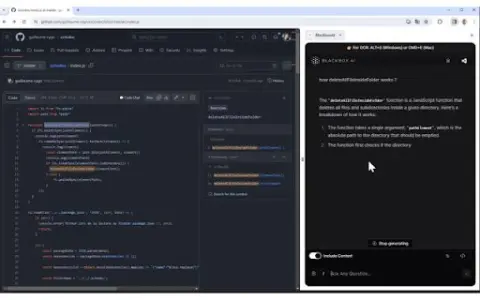
BLACKBOX AI Extension is a tool designed to enhance your coding workflow by providing real-time assistance with code-related questions and suggestions. It is seamlessly integrated into your browser and GitHub, offering features such as code chat, context-aware answers, and OCR (Image-to-Text) functionality.
How to use the BLACKBOX AI Extension for Chrome?
You can use the BLACKBOX AI extension via the browser icon, keyboard shortcuts, or directly within GitHub. Use Code Chat to get answers to common coding questions; enable the “Include Context” option to ask about issues related to the current page, and click the “Code Chat” button on GitHub to inquire about specific code repositories. The OCR function can be activated by pressing CTRL+E (on Windows) or CMD+E (on Mac).
The core functionality of the BLACKBOX AI extension for Chrome.
Code chatting feature assisted by real-time encoding
Answering Questions Based on Context Awareness
Specific code assistance integrated with GitHub
OCR (Image to Text) Function
Answering Questions Based on Context Awareness
Specific code assistance integrated with GitHub
OCR (Image to Text) Function
Related
Recipe Roulette
An application for finding recipes through ingredients, enhanced with AI.
MealPractice
MealPractice simplifies meal planning with AI-generated recipes and smart shopping lists.
RecetasIA
An artificial intelligence-based recipe generator that creates personalized meal plans based on users' preferences and dietary requirements.
Mealmind
AI-powered dietary planning tools generate personalized meal plans and shopping lists.
Gustave
The AI kitchen timer app ensures that dishes are cooked at the perfect timing.
RecipeGPT
The Recipe GPT system simplifies the process of finding and organizing recipes.